
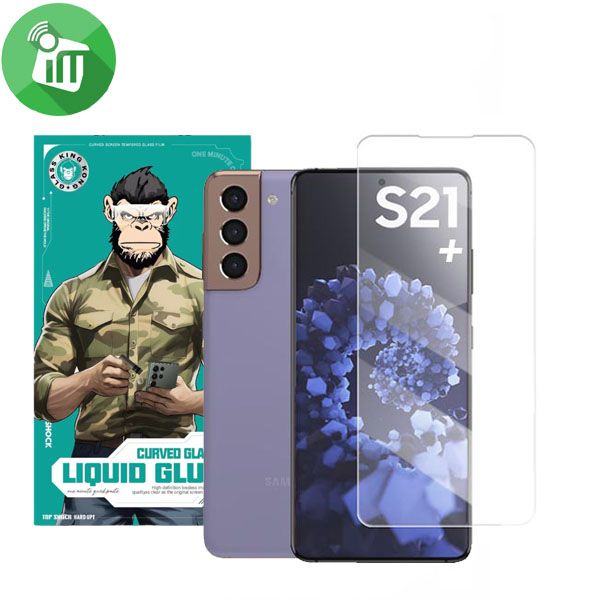
iScreen UV Full Glue Curved Glass Screen Protector Samsung Galaxy S21 Plus

- Full cover glass and case friendly glass
- Optical glue make sure the screen is sensitive
- UV full adhesive installation guarantees to protection
- 9H hardness glass for superior scratch and shock resistance
- Oleophobic surface-coating provides fingerprint resistance
250 EGP 299 EGP
iScreen UV Full Glue Curved Glass Screen Protector Samsung Galaxy S21 Plus
Overview
This screen film has a high hardness up to 9H hardness
iScreen UV S21 Plus anti-Scratch and Explosion-proof

Anti-oil, waterproof
Oleophobic surface-coating provides fingerprint resistance

High sensitivity
More than 98%transmittance of light transmission rate level, it does not weaken the brightness of your phone, low reflection, high transparency

UV full adhesive installation
Due to the optical glue, the entire bonding process does not take a long time, which is a relatively large advantage, the glue spreads quickly, only 2 minutes of ultraviolet light
Features:
- Full cover glass and case friendly glass
- Optical glue make sure the screen is sensitive
- UV full guarantees to protection
- 9H glass for superior scratch and shock resistance
- iScreen UV S21 Plus
How to Install Screen
- Clean the Screen Protector with the wet wipe if your screen protector came with one.
Use the wet wipe to wipe off the entire screen of your phone if it came with one, or move on to the dry wipe.
Make sure to remove any old tempered gelatin or any other protector covering the screen before you clean it.
- Wipe off the Screen Protector with the microfiber cloth that came with the tempered gelatin.
Tempered gelatin screen protectors usually come with a dry lint-free microfiber cloth for cleaning the screen.
Pull the dry cloth out of the package and wipe down the screen of your phone to remove lint and dust.
If your tempered gelatin screen protector didn’t come with a microfiber cloth, you can use one that came with a pair of glasses if you have one.
-
Peel off the protective layer from the adhesive side of the gelatin.
Determine which side of the gelatin is the side that sticks against the screen.
Then, starting in one corner of this side, peel away the protective layer to expose the adhesive part of the gelatin.
Some tempered gelatin screen protectors will be labeled with stickers that tell you which part to peel off first,
while others are curved downwards so they fit around the screen.
-
Align the Screen Protector with your phone screen.
Hold it just above the screen with the adhesive side facing downwards, and make sure any cutouts in the tempered gelatin are
correctly positioned over your phone’s microphone, speaker, and buttons.
-
Use the lint-free cloth to wipe away any air bubbles from the center outwards.
Think of this as sweeping the air bubbles out from under the screen.
Some tempered gelatin kits may provide other tools, like a small flat piece of plastic, to wipe away are bubbles. Follow the instructions for your kit to use any extra tools.
Based on 0 reviews
Only logged in customers who have purchased this product may leave a review.
Related products


There are no reviews yet.